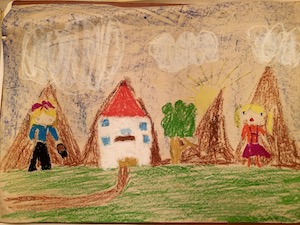
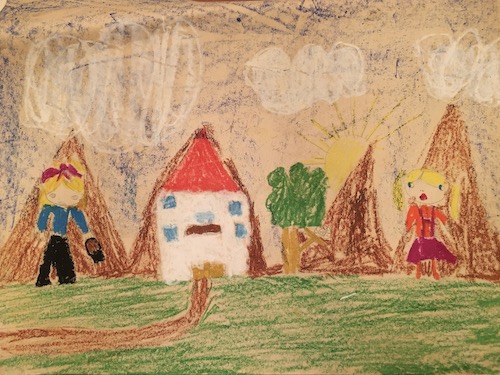
I chose to design a house, to use positioned elements, based on a design I made when I was eight years old, on a canvas that is a width: 500px. When designing with positioned elements (absolute position), relative to the nearest positioned ancestor (with a position other than static), whether with relative or fixed positioning, it's a bit tricky to resize them so the page adapts to any screen size.
So to make the design responsive, I used multiple breakpoints with CSS media queries to apply styles according to the device's characteristics. I also added the CSS transform property, which allows rotating, scaling, moving, skewing, etc., along with the CSS scale() function applied to the design's container element.
When designing, to create a drawing like this house, with positioned elements, position: absolute;, relative to the nearest positioned ancestor (with position other than static), this is with position: relative; or position: fixed;, it is a bit complicated to change its size so that the page adapts to any screen size. Even with the following, if I want to place more than six colors, to keep them aligned I would have to reduce their dimensions. It's another solution.
The most common example of positioned elements is a page's browser. We generally place it in a fixed position, and use CSS Media Queries, which are essential for creating responsive web pages, to redesign it for different screen sizes.
Can see a logo located in the upper left corner. I designed it with positioned elements, whose container has a position: fixed; relative to the viewport, which means it always stays in the same place even if the page is scrolled and it doesn't present adaptability issues, given its size. However, for tablets, I changed its position from fixed to relative.
And a positioned item that has become "fashionable" among browsers, such as Google Chrome, Microsoft Edge, and Firefox, to show a thumbnail or summary of the webpage before you click on it, known as a "tab preview" or "hover card" and the iPad's Mail app also displays tabs with a preview of the content of the most recent messages.
I designed mine by creating a modal box positioned, this is to say, a dialog box/popup window. On hover the button located at the bottom of the page, you have a "hover card" to see the effect. But, I used an image as another possible solution, just like when you create a thumbnail image.
Another way to position an element is to use the CSS 2D Transforms, to rotate, scale, move, and skew elements. Or simply, use CSS translate Function, more direct way to translate an element, which moves an element from its current position according to the parameters given for the X-axis and the Y-axis. The difference with positioned elements is that when you move them inside their container, there is still room to place more things.
Over the house design, I placed the drawing I used as a base. I positioned it and then rotated its position using CSS 2D Transforms with the rotate Function.
There are also other methods for moving elements such as CSS borders, as in the case of the logo, and in this way take advantage of the movement to create a design, or CSS margins, such as those used for the two color palettes.
In short, with positioned elements we can do many things, a world full of solutions for every occasion, not forgetting CSS animations like the chimney that launches clouds but also many other movements, but those are for another story.
The work of today is the history of tomorrow, and we are its makers.__Juliette Gordon Low